· 6min
What was hard about Intervalo: audio in the browser, with no backend
A tuner that read the wrong octave, a chord sheet that followed the melody and a model that froze the tab for 11 seconds. The problems that came up while building a music app that runs entirely in the browser.
Intervalo is a music theory and ear training app for guitar and piano. It has a chord and scale explorer, lessons, a microphone tuner and a page that takes an MP3 and gives back the chords and the notes of the song.
There was one rule from the start: no backend. No account, no server, everything runs on the user’s device, audio analysis included. That makes the app free to host and impossible to take down, but it also means every audio problem has to be solved in JavaScript, inside a tab.
The theory screens and the lessons went as expected. The real work was in three places, and this post covers all three. The code is on GitHub.
The tuner: an FFT is the wrong tool
The obvious way to find a note is to run an FFT and pick the strongest frequency. For tuning a guitar, that fails for two reasons.
The first is resolution. With a 4096-sample window at 48 kHz, each FFT bin is about 11.7 Hz wide. The low E string vibrates at 82.4 Hz and the next semitone is at 87.3 Hz, less than half a bin away. A tuner has to see hundredths of a semitone.
The second is that the fundamental is often not the loudest part of the sound. On the low strings the second harmonic is usually louder, and the tuner shows the note an octave too high.
The answer was the YIN algorithm, which works in time instead of frequency. A periodic sound looks like itself when shifted by one period, so the algorithm searches for that shift. The detail that prevents octave errors is picking the first dip below a threshold instead of the deepest one, because multiples of the true period dip just as low.
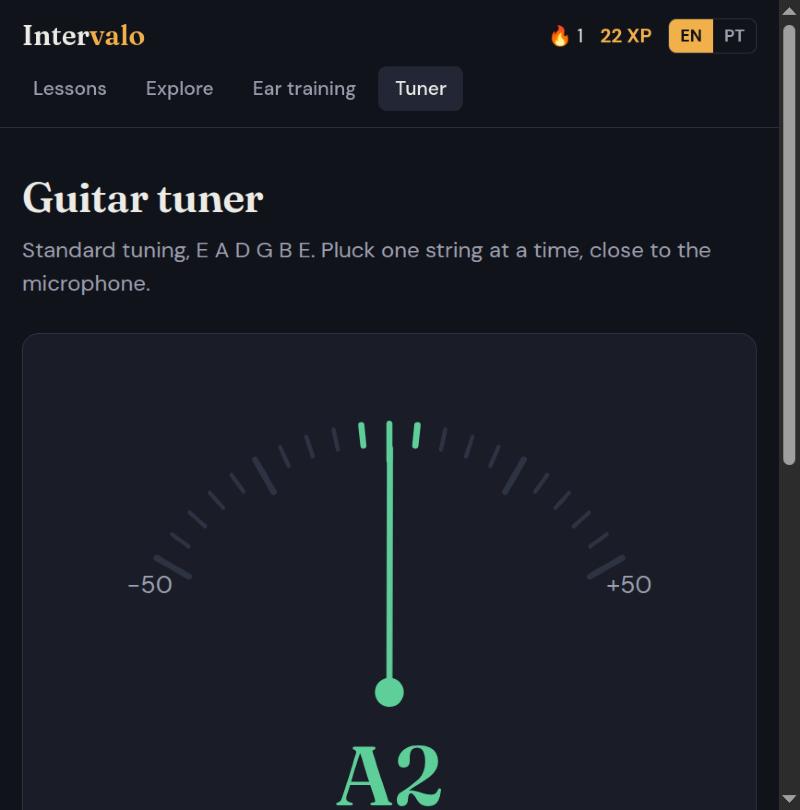
With the right algorithm in place, the needle still died halfway through a note. The browser itself was the cause: microphone noise suppression treats a sustained string as background noise and fades it out. Echo cancellation, noise suppression and automatic gain all had to be turned off when opening the microphone.
The chord sheet: the first version followed the melody
Finding one note and finding a chord inside a recording are different problems. YIN assumes a single sound source, and a song has many at once. For chords I used the classic approach: fold the energy of the spectrum into the 12 notes, ignoring the octave, and compare the result with the pattern of each of the 24 major and minor chords.
The first version passed its tests and got a real song wrong. It followed the voice: every loud sung note became a new chord.
The fix came from a simple observation. A chord note sounds for the whole chord, and a melody note lasts a fraction of a second. Replacing each note’s value with its median over about a second on each side makes the melody disappear, because the median never sees it. I also gave more weight to the low register and added a vote from the bass for the root, since the bass nearly always plays the note the chord is named after.
One problem was left. Picking the best chord at every instant makes the sheet flicker on every passing note. The Viterbi algorithm solves this: it finds the sequence with the best total score while charging a fixed cost for each chord change. That cost is what makes the output read like a chord sheet someone wrote.
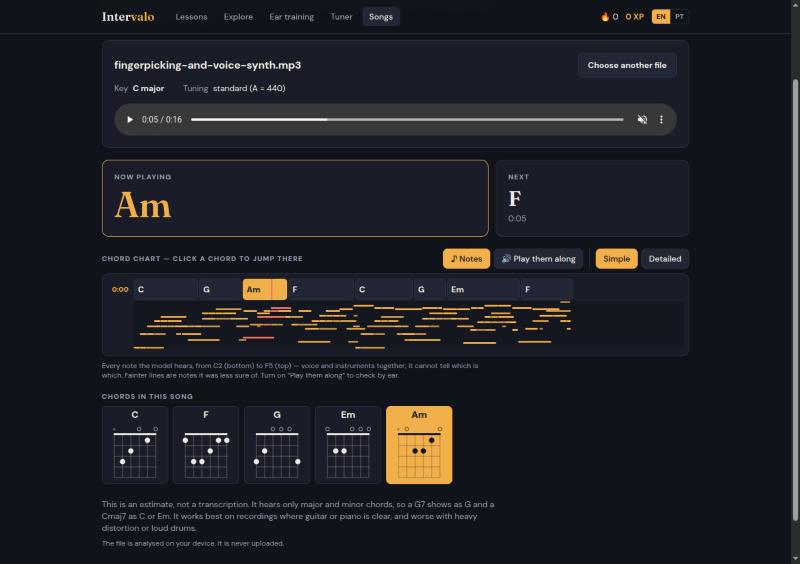
The last adjustment came from listening to a real recording. The sheet showed E, C♯m, E in places where nobody changed chords. It was the guitar walking down a bass line over the sustained E. In Simple mode, a short chord squeezed between two stretches of the same chord only stays if all three of its notes are there.
The notes: where hand-written code ran out
After the chords, I wanted to show the notes of the song. I wrote a melody tracker, which passed every test on synthetic audio and failed on the first real song.
No parameter could fix the cause: it returns one note per instant. With a voice over fingerpicked guitar it hopped between the two, and it could never follow the fingerpicking, where several strings ring together. I deleted that code.
What the task needs is polyphonic transcription, and today that is done with a trained model. I used Basic Pitch, an open model from Spotify under 1 MB that runs in the browser on TensorFlow.js. Getting it to work brought its own list of problems:
- The tab froze. On the main thread, a 16-second clip locked the page for 11 seconds. The analysis moved to a Web Worker, where the model uses the GPU through an
OffscreenCanvas. The library readswindowin one place, so the worker has to pointwindowatself. - Post-processing was slower than the model. Turning the output into notes took 40 seconds on a full song, because its cost grows faster than the input. Processing 20 seconds at a time brought it down to 5.
- Ghost notes. The model sometimes reads a note’s overtones as extra notes. A filter drops the weaker note that starts together with another one an octave, an octave and a fifth, or two octaves below it.
- Download size. TensorFlow.js is only fetched when someone analyses a song. If it fails, the chords still show up.
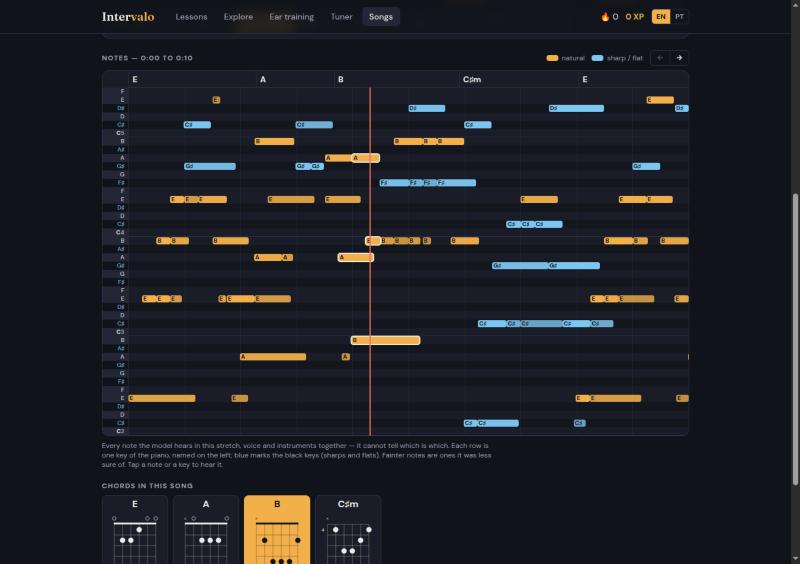
The result still had to be readable. A plain piano roll assumes you can read pitch from position, and a beginner cannot. The panel shows ten seconds at a time, with the key name on every row and the note name on every block, and it spells sharps and flats the way the song’s key does.
What was left out
The app only knows major and minor chords, so a G7 shows up as G. It does not detect bars or beats, and it does not separate the voice from the guitar, because that takes models too large for a static site.
The part that bothers me most is validation. The automated tests use synthesised progressions, and beyond them the chord sheet was checked by ear on a single real recording. That is why there is a button that plays the detected notes on top of the song: whoever uses it can judge the result for themselves.
If I had to reduce the project to one lesson, it would be this: synthetic audio lies. Both times I had to redo something, the tests were green and one real song was enough to show the mistake.
You can try Intervalo here.